

Welcome to the Conference In A Box Website!
We’re glad you’ve made it this far. Click the “PathPoints Demo” button below for login instructions to PathPoints, the web-based LiDAR software solution. For some basic instruction about software operation, click the “PathPoints Training” button to view training videos.

The PathRunner
PathPoints Demo
Before you click the “PathPoints Demo” button in Step 1, review the following steps 2-6 which contain important login information. Each step’s image is clickable for an expanded screen shot view.
Note: The more road sections and asset types selected in steps 5 and 6, the longer it will take for PathPoints to load stored LiDAR point clouds and asset data.
Step 1
Click the “PathPoints Demo” button to open a new browser tab and navigate to the PathPoints website.

Step 2
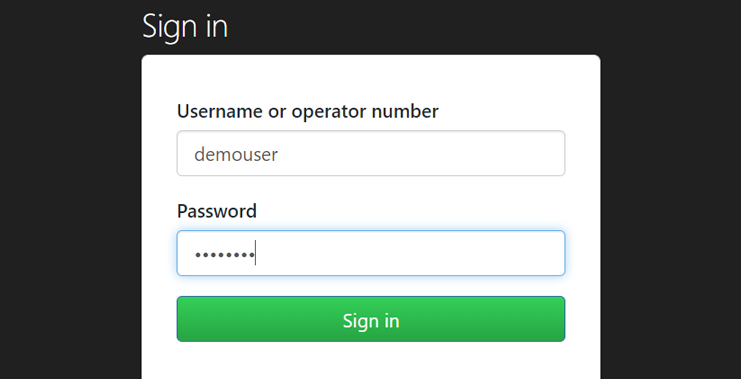
Enter the username “demouser” and the password “D#moAcct” in the dropdown to access the PathPoints website.
Step 3
Enter the username “demouser” and the password “D#moAcct” on the PathPoints page to login as a PathPoints user.

Step 4
Click the “Roads” button to access all roads contained in this demonstration project.

Step 5
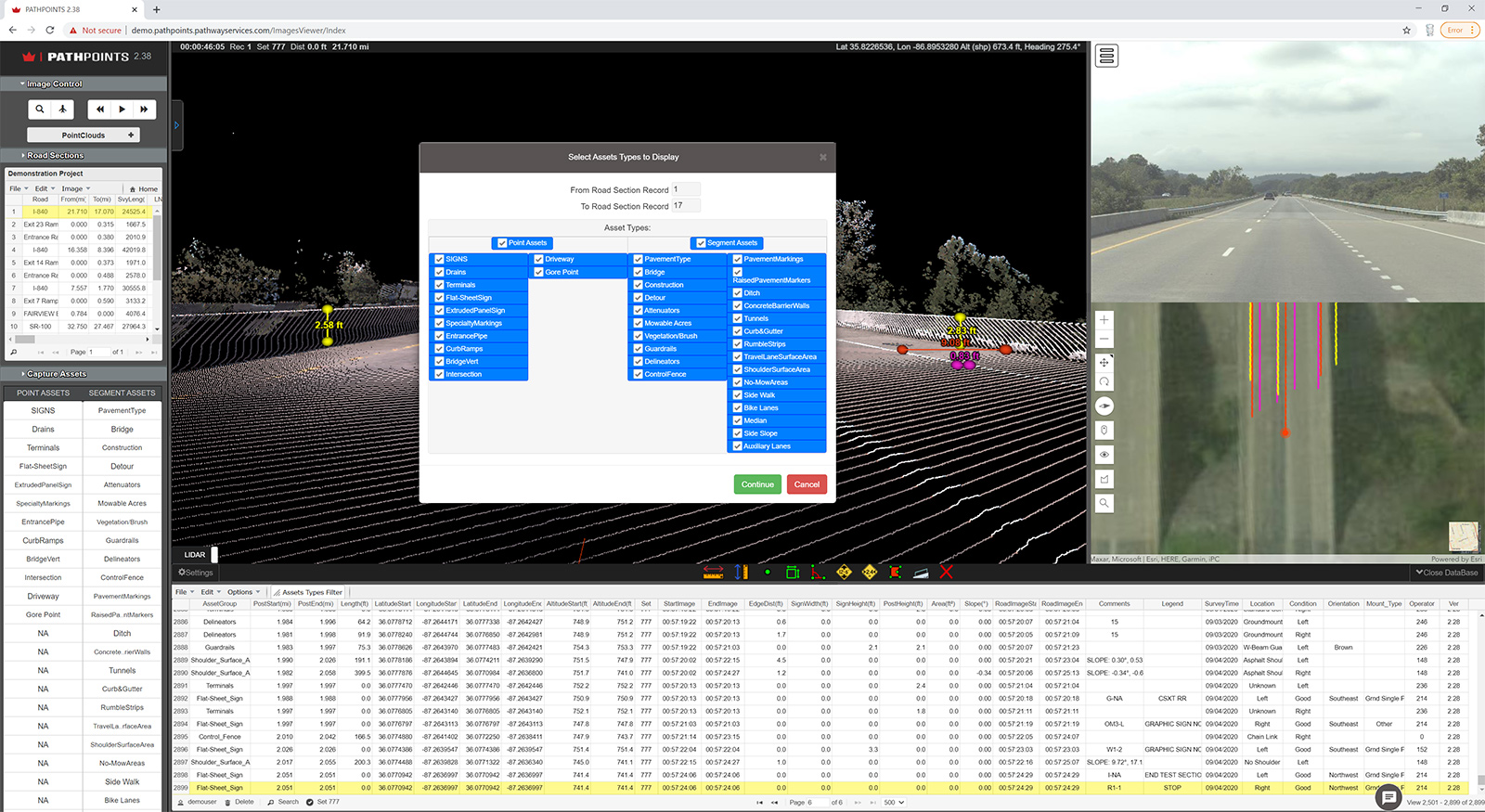
Select any or all of the road sections in the Demonstration Project. Then click the “Go to PathPoints” button.
Step 6
Select any or all of the available Point and Segment Assets available to view them in the LiDAR point cloud.
PathPoints Training
PathPoints is a powerful web-based software application for viewing LiDAR point cloud data and for extracting roadway asset features. These tutorial videos will walk you through some of the basics of the interface and other functions available in the program.


© 2021 Pathway Services Inc. All rights reserved.